
View and manage your Workspace plan
To view and manage your Workspace plan:
1. Go to cloud.digilent.com/everymeasure
2. Select the desired Workspace
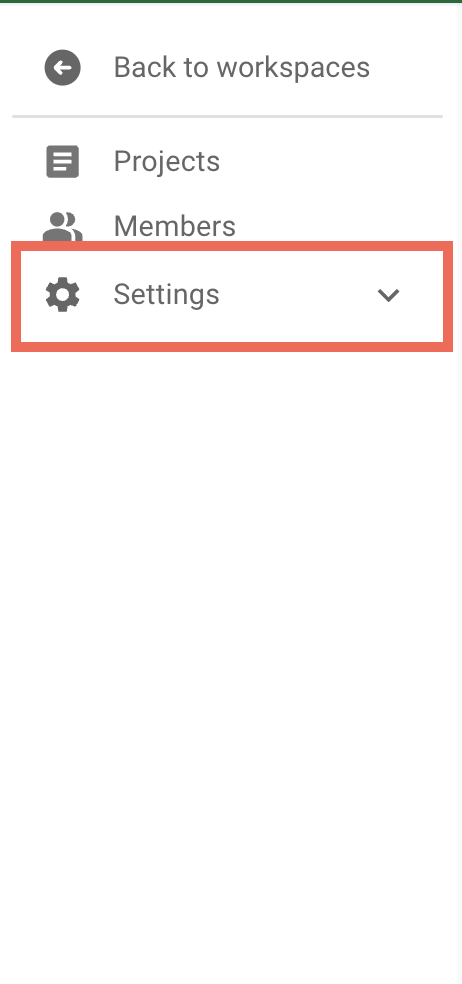
3. Select "Settings" in the side menu
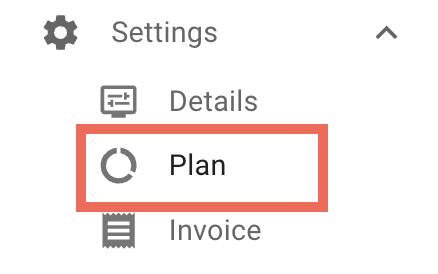
4. Select "Plan" in the Settings sub menu
Understanding the Workspace Plan dashboard layout
The Workspace Plan dashboard contains
- The Workspace's current tier (free or paid)
- If a paid tier, how many days until the plan renews
- The Workspace's user capacity, and current number of users
- The Workspace's storage capacity
- A chart of the Storage usage by day
To make changes to the Workspace Plan, click the add/manage plan button.
View Workspace invoices
To view and download a Workspace's invoices:
1. Go to cloud.digilent.com/everymeasure
2. Select the desired Workspace
3. Select "Settings" in the side menu
3. Select "Invoice" in the Settings sub menu
Comments
0 comments
Please sign in to leave a comment.