
Multisim Live includes a number of simulation types that you can use to analyse a design.
To run a simulation:
- Place at least one probe, for example, PR1.
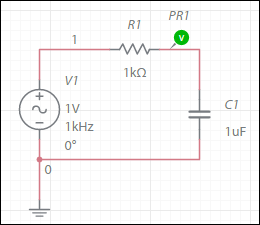
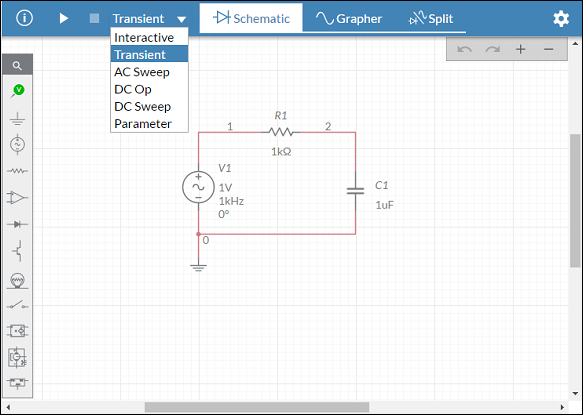
- Select one of the simulation types from the toolbar, for example, Transient.
More detailed Simulation settings are available in the configuration pane.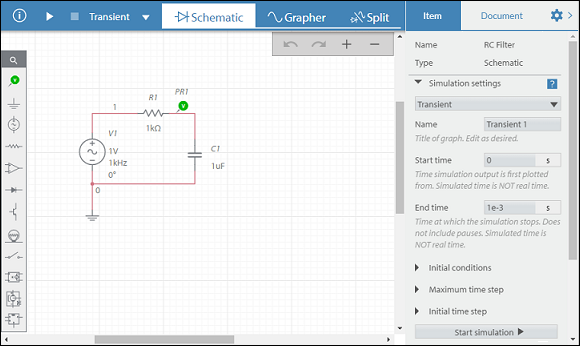
- Run simulation by tapping either
 in the toolbar, or
  in the Simulation settings.
 - View the output in the Grapher.
The image below shows the results of a transient simulation for the circuit above.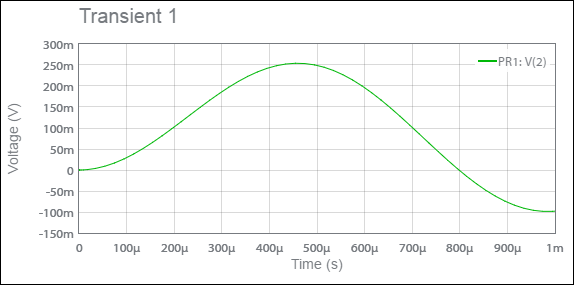
Next step
After simulating a design, you can stream your circuit simulation to Measurements Live and compare the simulated signals with real signals.
Related Information
Interactive simulation
Transient simulation
AC sweep
DC sweep
Parameter sweep
Comments
0 comments
Please sign in to leave a comment.