1. Create your first Multisim Live circuit - RC filter
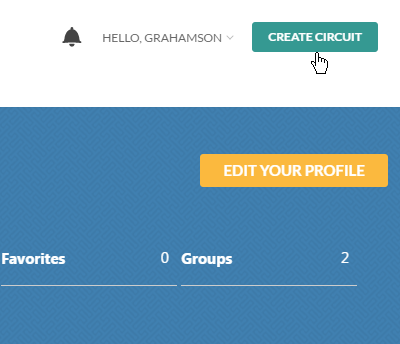
- Create an account and sign in
- Start a new design with the Create Circuit button
 . .
|
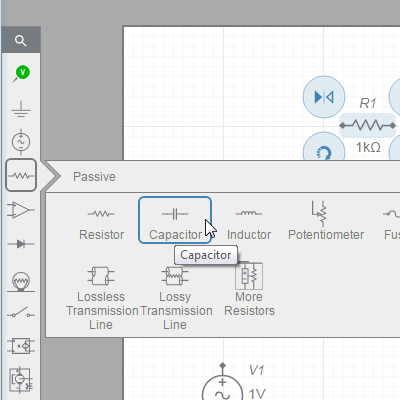
2. Place components for an RC filter
- AC Voltage Source
- Resistor
- Capacitor
|
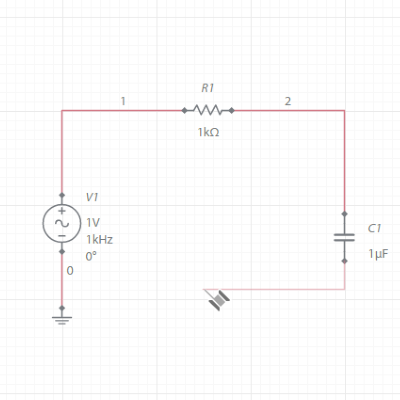
3. Complete your circuit
- Add a ground to your circuit
- Wire components by clicking on component ends
|
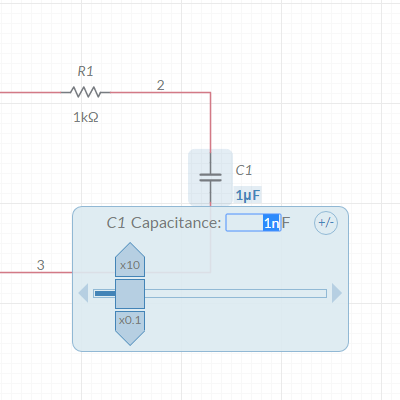
4. Set your circuit parameters to achieve the desired filtering
- Change capacitor value by clicking on 1 uF and changing it to 1 nF
|
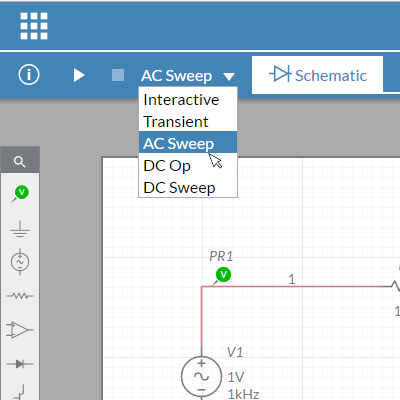
5. Run an AC Sweep simulation to see the filter's response
- Place voltage probes for your input and output
- Select AC Sweep simulation
- Run simulation
|
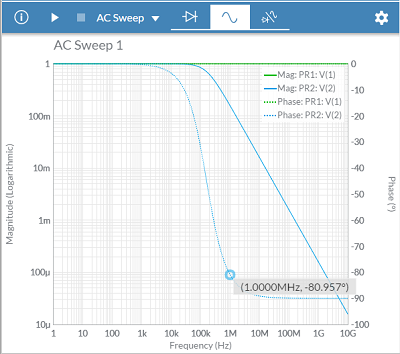
6. View simulation results
- View Grapher
- Toggle between views to reference your schematic
|
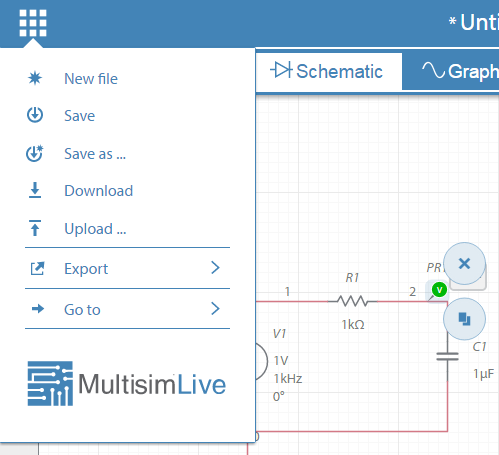
7. Save your project
- Name and save your circuit by clicking the File menu
- Once saved, the URL of your circuit can be used to share your circuit
|
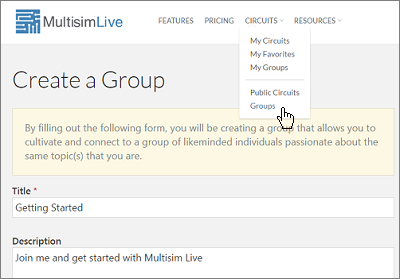
8. Collaborate with a community
- Create a group from the Groups page
- Add group members
|
9. Add circuits to your group
- Select a circuit from your My Circuits page
- Click the Share button
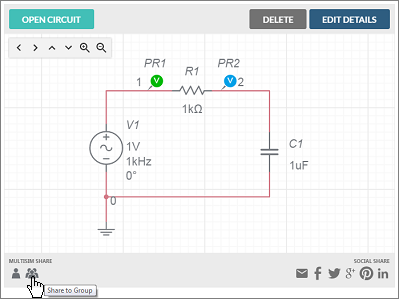
|

Comments
0 comments
Please sign in to leave a comment.